








CMS Web Development with WordPress and DIVI, Plugin Programming
Introduction to WordPress
Web development with WordPress and DIVI can be partially handled by companies and individuals themselves. We can take over custom plugin programming, SEO, GEO, and AI implementations. Content Management Systems (CMS) significantly simplify the creation and management of websites. The best-known CMS are WordPress, Joomla, Drupal, Contao, and TYPO3, with WordPress now powering around 43% of all websites worldwide, making it by far the most used system.
I myself started with Joomla, then used Contao, and switched to WordPress for good reasons. Among my clients, I still frequently see TYPO3 sites in the professional sector, but these require more familiarization due to TypoScript and therefore do not offer a quick start for all users, especially web developers. It is also more difficult to find someone to take over extensions or maintenance.
As long as the systems run stably and meet all technical requirements (current PHP version, security updates, GDPR, performance), there is no reason for a complete redevelopment. Generally, websites usually run for about 4–6 years before they are fundamentally redesigned.
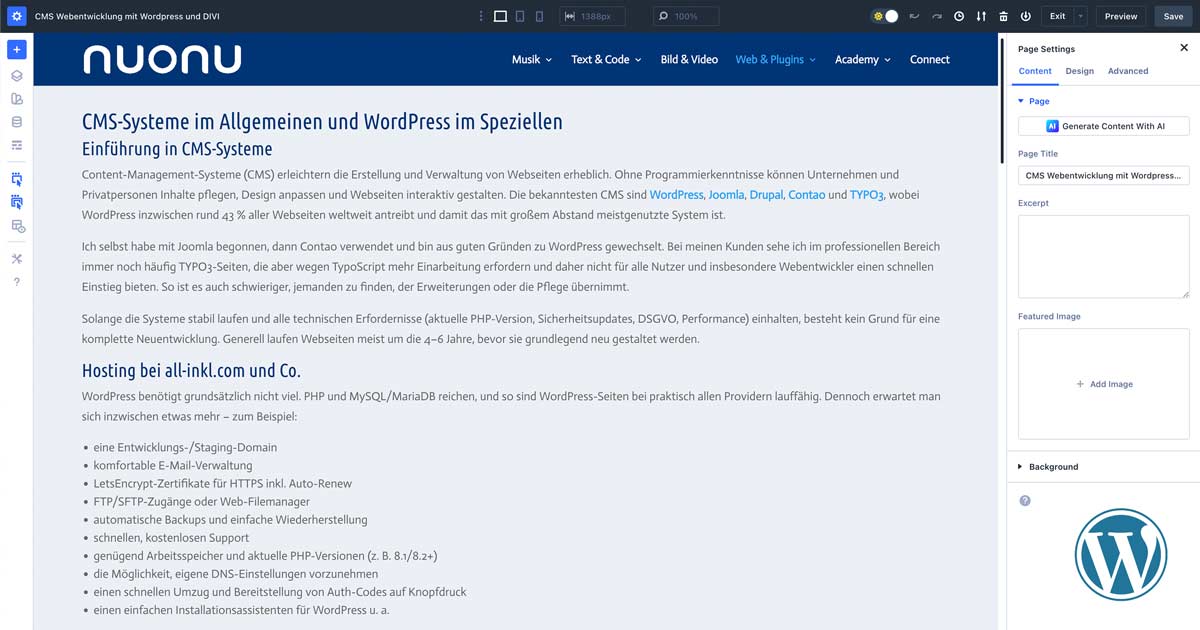
CMS Web Development with WordPress and DIVI, Plugin Programming
Introduction to WordPress
Content Management Systems (CMS) significantly simplify the creation and management of websites. Without programming knowledge, companies and individuals can maintain content, adapt design, and make websites interactive. The best-known CMS are WordPress, Joomla, Drupal, Contao, and TYPO3, with WordPress now powering around 43% of all websites worldwide, making it by far the most used system.
I myself started with Joomla, then used Contao, and switched to WordPress for good reasons. Among my clients, I still frequently see TYPO3 sites in the professional sector, but these require more familiarization due to TypoScript and therefore do not offer a quick start for all users, especially web developers. It is also more difficult to find someone to take over extensions or maintenance.
As long as the systems run stably and meet all technical requirements (current PHP version, security updates, GDPR, performance), there is no reason for a complete redevelopment. Generally, websites usually run for about 4–6 years before they are fundamentally redesigned.
Hosting with all-inkl.com and Co.
WordPress fundamentally doesn't require much. PHP and MySQL/MariaDB are sufficient, so WordPress sites can run on practically all providers. Nevertheless, people now expect a bit more – for example:
- a development/staging domain
- convenient email management
- LetsEncrypt certificates for HTTPS including auto-renew
- FTP/SFTP access or web file manager
- automatic backups and easy restoration
- fast, free support
- sufficient RAM and current PHP versions (e.g., 8.1/8.2+)
- the ability to make custom DNS settings
- fast migration and provision of Auth codes at the touch of a button
- a simple installation wizard for WordPress, among others
A preferred provider for many years here is all-inkl.com (Affiliate Link), which impresses with very fair package prices and excellent support. If you only want to host CMS systems, this is an excellent choice.
If you additionally need MongoDB, Node.js, or Express, you should either rent your own server/VPS or go to providers that offer these functions. However, 99% of all classic websites still don't need this. Through AI-powered tools, however, individual applications are increasingly emerging – such as web apps, APIs, or automations. Nuonu.com is also such an application that extends WordPress with its own plugins, thus offering very individual functions.
Why WordPress and DIVI?
WordPress offers a user-friendly interface, a huge selection of extensions (plugins) and themes, and a very strong community. Whether it's a blog, company website, landing page, or online shop – almost all types of websites can be implemented with WordPress. Installation and basic configuration are quick, and thanks to page builders like DIVI, even beginners can create professional layouts.
Advantages of DIVI as a Page Builder
DIVI distinguishes itself from many other page builders by being usable as a complete theme + builder, meaning no additional theme is necessary. This means:
- Complete design from a single source – no additional theme dependencies.
- Flexible design options with a visual drag-and-drop editor.
- Client-side editing capabilities directly on the page (frontend editing).
- Excellent responsive adaptation for desktop, tablet, and mobile devices.
- Pre-built layouts & modules, which significantly speed up the creation of new pages.
New: DIVI 5 – Performance & Future-Proofing
DIVI 5 is more than a regular update: The builder has been completely rebuilt internally and placed on a modern, significantly leaner foundation. This ensures noticeably faster loading times, less code bloat, and a better basis for future functions.
- New, lean core system – the builder has been completely redeveloped from the ground up and operates more resource-efficiently.
- Faster loading times & responsive editor – especially complex pages with many modules benefit from the new architecture.
- Fewer shortcodes, cleaner code – this facilitates long-term maintenance, migration, and positively impacts SEO.
- New design features such as design variables, extended units, nested rows, and individually adjustable breakpoints for even more precise responsive layouts.
- Better handling of large projects – DIVI 5 is designed for extensive websites with many templates, global elements, and library layouts.
Current status with us: The nuonu.com site is already running on DIVI 5 Beta. All client projects currently implemented with DIVI 4 can be gradually and controllably migrated after the final release of DIVI 5 – ideally first on a staging environment. This way, existing sites remain stable but can utilize the performance and convenience advantages of the new version as soon as it is sensible and safe.
The General Structure of Modern Websites
Today's websites are clearly structured, striking, and must above all be responsive. The following aspects are crucial:
- Colors & Fonts should consistently match the corporate design.
- Logo & Spacing must be harmoniously integrated into the layout.
- Individual Header & Menu for intuitive navigation.
- Structured Footer, containing legal links, social media profiles, and contact options.
- Define Homepage, so the main page is set via "Settings > Reading".
Legal Requirements: Imprint, Data Protection & Cookie Consent
Every website requires an imprint and a privacy policy. In addition, a functional cookie consent tool is necessary to comply with GDPR and TTDSG. An example of this is Reel Cookie Consent, which can be tested and extended with custom scripts, e.g., to integrate Matomo in a GDPR-compliant manner.
Matomo in Subdomain Usage
Matomo can be operated either on the main domain or a subdomain. The advantages of using a subdomain are:
- Better data control & security – data remains entirely on your own server.
- Privacy-friendly configuration, as data is not transmitted to third parties.
- Own opt-out options for users to comply with GDPR requirements.
Essential Plugins for a WordPress-Website
For a professional and functional WordPress site, certain plugins are almost indispensable from our perspective (the list may, of course, vary depending on the project):
- RankMath – SEO plugin with schema support, redirects, and many on-page aids
- Happy Files – File management with folders for media, posts, pages, and much more
- Reel Cookie Consent – Cookie management (or alternatives like Real Cookie Banner, Borlabs Cookie, or Complianz)
- DIVI Supreme – extended modules and effects for DIVI
- WP Armour – Protection against form spam
- AIOS (All in One Security) – comprehensive security plugin for login, file system, and firewall hardening
Security Configuration in WordPress
After installation, security settings should be optimized immediately:
- Activate AIOS & WP Armour for protection against brute-force attacks, spam, and simple bot attacks.
- Change default admin username to make targeted attacks more difficult.
- Two-factor authentication for more security (optional, but recommended).
- Set up regular backups (e.g., with Duplicator, UpdraftPlus, or BackWPup) and test restoration.
Adjusting WordPress Media Settings
By default, WordPress stores media in monthly divided folders. This is useful for blogs but often impractical for business websites. Therefore, it is recommended to deactivate the automatic folder structure under "Settings > Media" and instead organize the media library with a tool like Happy Files.
Design Phase After Basic Installation
After the basic installation, the actual design begins:
- Define colors, fonts & spacing – globally in DIVI as the design basis (or additionally via design variables in DIVI 5).
- Create individual header & menu to make navigation intuitive.
- Customize footer, which contains imprint, data protection, social media links, and contact options.
- Make phone numbers clickable with
tel:and email addresses withmailto:. - Create homepage and then set it as the main page under "Settings > Reading".
With this structure, clients receive a clear guide to build their website in a modern, legally compliant, and functional way. Should further adjustments be necessary, the mentioned plugins and tools can be individually configured.
Collaborative Development Process
It is important to us to involve the client in the development as early as possible, if desired. This includes deciding on and approving the visual appearance, as well as creating pages, menus, maintaining SEO data, media uploads, and much more. The more the client can do themselves, the better – and the easier independent maintenance will be later.
Logo and Favicon
Often, outdated or no custom designs are available. In this case, we also create logos and favicons as vector files and transparent PNGs. Thanks to Midjourney and Illustrator, we can provide a selection of 2D and 3D logos upon request. We also handle name finding, including checking and registering available domains or their migration.
Social Media Links
DIVI comes with its own module containing ready-made, legally compliant logos from many social media providers. Global links can also be stored in the dashboard under DIVI > Theme Options. You can also see headers with logos, menus, and custom footers on this page.
SEO Content Creation
From now on, we begin creating page by page – RankMath must be considered immediately. Title, Description, og:image, h1, h2, h3 … SEO-friendly and easily readable headings and texts with meaningful highlights, as well as expressive, well-optimized image material. SEO first means: The content is tailored not only for visitors but also for search engines and social media. What needs to be considered and which tools you need for this can be found in the guide to our SEO Strategy.
Finalization of All Content and SEO Data
Creation can take different amounts of time per page. Some pages require additional configurations, such as forms and their secure submission via SSL or special tracking/consent settings. On average, about an hour or more can be expected per page. Only when all pages are complete and the last link has been tested is the site ready for a live test.
Test Phase with Performance Optimizations
A finished site is always an experience – but it must now be thoroughly tested. We check:
- all internal and external links,
- all RankMath recommendations,
- display in social networks (e.g., with the Facebook Debugger / URL Debuggers),
- loading times with speed tests (e.g., PageSpeed Insights, GTmetrix, WebPageTest).
Only when all errors have been eliminated and the site performs well in performance tests will it be finally launched live.
Sitemap Generation and Registration in Google Search Console
The final act of creation is registration in the Google Search Console. The sitemap generated by RankMath or WordPress is submitted so that Google can structuredly index all relevant content.
Short-term and Long-term Monitoring
After a few days, the site should appear in the search results. Using site:domain.de or directly in the Google Search Console, we check whether all important content has actually been listed. Any errors should be noticed and corrected at this point at the latest.
From now on, we can also regularly visit our Matomo subdomain and evaluate the site's success live. Depending on visitor interest, content can be expanded, search terms refined, and new landing pages created. Thus, the website does not remain static but evolves with the company's goals.
Google Business Listing
Anyone involved in website creation and optimization should also take a look at Google Business, Maps, Images, Videos, News, etc. We are service providers and are also responsible for what data a visitor sees. Often, it is precisely this data that first draws a visitor's attention to the website or triggers a call.